
Wednesday, 1 May 2013
Block Unwanted emails in Gmail
Labels:
tricks and tips
Block unwanted emails in Gmail want some?
Just follow these steps.
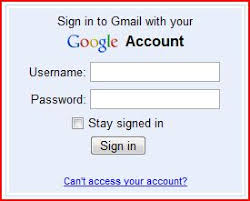
1. Log in to your account
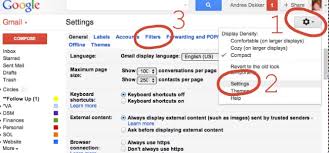
2. In the top right corner, click on Settings

3. Under Settings, click on Filters
4. Now you have an option "Create a new filter" will appear, click on it
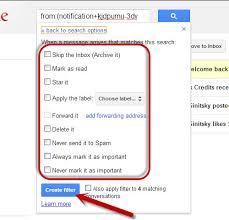
5. Now form in which you do not wish to receive e-mail from the e-mail address

For ex. You all incoming emails from this address block abc@xyz.com can enter in the field. However, if you want to block the whole domain then use the following syntax: * @ xyz.com. Now all the incoming emails from the domain xyz.com will be blocked.
6. Click Next to move, you want to take action to block emails choose. Your options are moved to block junk e-mail so that they can select Delete. To unblock the email, all you need to do what you have created the filter is removed.
Just follow these steps.
1. Log in to your account
2. In the top right corner, click on Settings
3. Under Settings, click on Filters
4. Now you have an option "Create a new filter" will appear, click on it
5. Now form in which you do not wish to receive e-mail from the e-mail address
For ex. You all incoming emails from this address block abc@xyz.com can enter in the field. However, if you want to block the whole domain then use the following syntax: * @ xyz.com. Now all the incoming emails from the domain xyz.com will be blocked.
6. Click Next to move, you want to take action to block emails choose. Your options are moved to block junk e-mail so that they can select Delete. To unblock the email, all you need to do what you have created the filter is removed.

Subscribe to:
Post Comments
(
Atom
)
No comments :
Post a Comment